Describe adult AAC support clearly at school
Ontario’s Policy/Program Memorandum 81, updated in 2025, says the ongoing development and use of augmentative and alternative methods of communication in the educational setting must be part of the school program and a school-board responsibility, with the support arrangements described in the policy. Local roles, services and funding still vary.
The province’s IEP guidance lists communication aids and speech synthesizers among possible individualized equipment. The Ontario Human Rights Commission says education providers have a duty to accommodate disability-related needs, with individualized support and respect for dignity. This is general information, not legal advice. Ask the school board how current policy applies to a particular student.
Questions that make adult support more usable
- Where must the communication system and approved backup be available?
- Who knows the learner’s access method and essential operational steps?
- Who provides staff training and follows up when staff change?
- How will access continue during instruction, assessment, transitions, lunch, recess, clubs and emergency routines?
- What should adults do during a communication breakdown?
- How can the AAC user give feedback about the support?
For Ontario residents who meet its criteria, the provincial Assistive Devices Program communication-aids page explains coverage categories, assessment routes and current funding rules. Eligibility and payment arrangements can change, and school-owned equipment may follow different processes.
Observe the partner conditions, not only learner output
A short note can support problem-solving without turning communication into a score. Record whether the system was accessible and working, what the partner modelled or said, how much conversational room was provided, which communication modes the learner used, whether the message was acknowledged and what adult adjustment should be tried next. Keep observation separate from interpretation.
The earlier Sage’s World guide on tracking observable learning across settings offers a privacy-conscious note structure. For school planning, the Ontario IEP meeting checklist can help turn an access concern into a specific adult action and review point.
Protect communication privacy
A communication system may contain names, routines, health information, private vocabulary and message history. Follow the AAC user’s preferences and the organization’s approved process for backups, sharing and access. The Information and Privacy Commissioner of Ontario’s school guide provides general privacy and access information, but parts of its guidance are under review following 2026 legislative changes.
Keep names, diagnoses, school records, device backups, account details, contact information, identifiable photos and message histories out of general AI tools and drafts. A useful training handout can describe adult actions without copying private learner data.
AAC communication partner checklist
Before the conversation
- The person’s AAC and approved backup are working and within access.
- I know how the person communicates yes, no, stop, help and a need for a break.
- I have a genuine activity or topic, not a quiz.
- I know which system changes require the AAC user’s and qualified team’s input.
During the conversation
- I address the person directly.
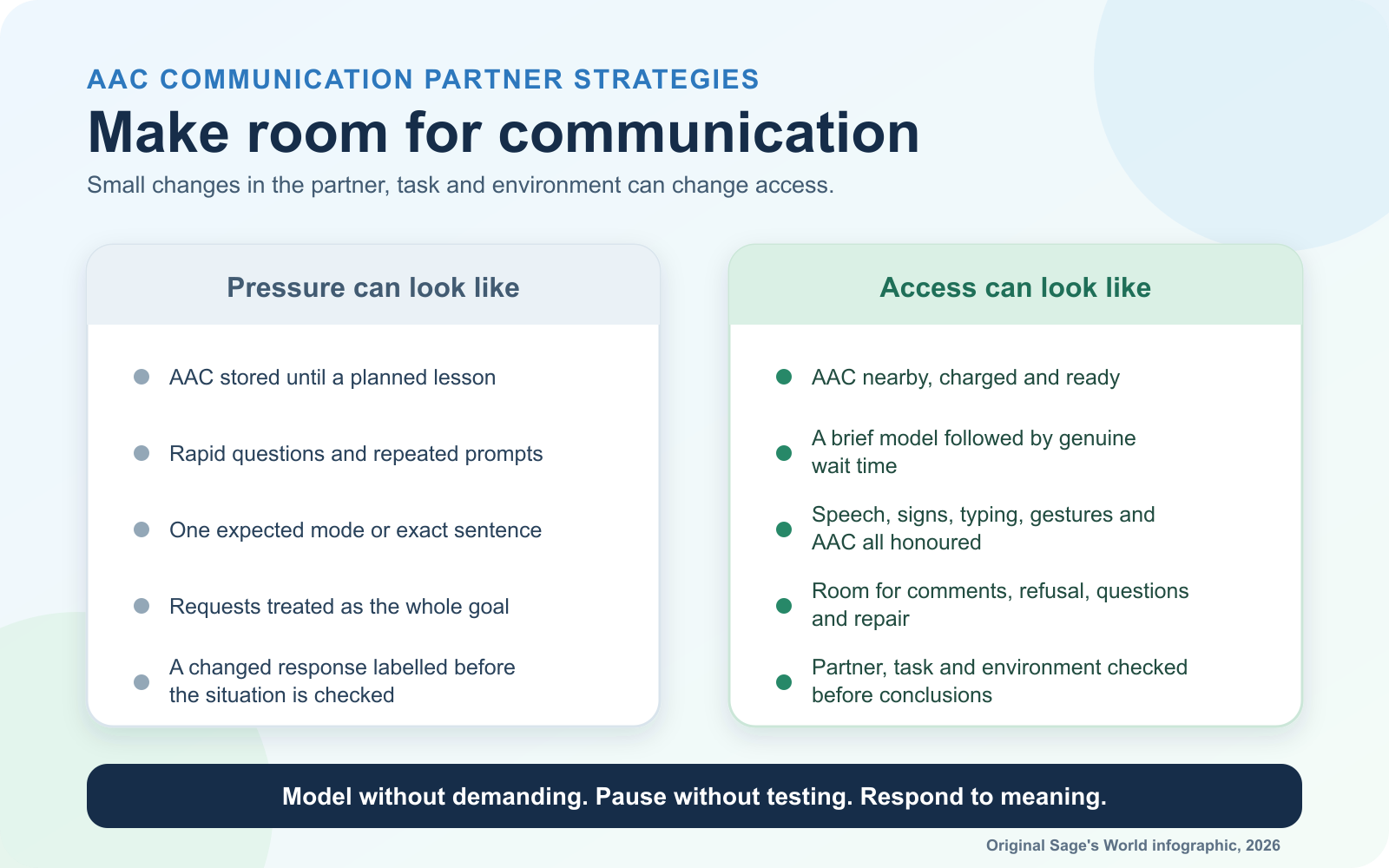
- I model a small amount of useful language without requiring imitation.
- I leave room for initiation and response.
- I honour gesture, speech, signs, movement, writing and AAC.
- I include comments, opinions, humour, refusal and questions, not only requests.
- I acknowledge meaning before thinking about correctness.
- I do not remove, withhold or take over the person’s system.
When meaning is unclear
- I say that I may have misunderstood.
- I offer more than one respectful repair route.
- I keep the AAC user in control of the conversation.
- I ask a familiar partner to help only when appropriate, while still addressing the AAC user.
Afterward
- I note what the partner and environment did, not just what the learner produced.
- I bring access, vocabulary, positioning or system concerns to the AAC user and qualified AAC team.
Where Sage’s World can fit, gently
Sage’s World is an educational and organizational tool, not an AAC system, therapy, diagnosis, formal assessment or a replacement for a speech-language pathologist. A family or educator might use a familiar visual choice or Talk Board during a Sage’s World learning activity when it fits the learner’s established supports. The person’s dedicated communication system should remain available.
If a team records a brief observation in Sage’s World, focus on the adult support and learning context. The educator page and Privacy & Data page explain the intended role and data controls. Do not upload communication profiles, device backups, school records, diagnoses, contact details or identifiable learner information to AI features.
One thing to do this week
Change one adult habit.
Choose one familiar activity. Keep AAC close, model one useful message, pause and respond to the person’s full communication. Notice what changed in the interaction, without demanding a result.