Goal selected
Recognize familiar words used in daily routines.
✦ How Sage’s World works
Set up one learner profile, choose the skills that matter now, practise in short supportive rounds and review the patterns. The adult stays in control from beginning to end.
Choose a useful skill.
Make it familiar.
Complete a short round.
Decide what to try next.
The core idea
Sage’s World is a way to turn that goal into an accessible interaction, observe what happens and carry the learning back into everyday life, instruction and team decisions.
The full learning loop
Start with one focused target. The app supports practice and observation; the adult decides what the signal means in context.
Choose a goal manually or review a draft suggested by the optional IEP reader.
Add familiar words, photos, routines, stories and settings that matter to the learner.
Use short rounds where cues appear gently and every question reaches a successful finish.
Look at strengths, trouble items and a practical next step, then choose what to repeat or change.
Step 1
Create a child profile and select the goals, interests, communication needs and routines that are useful now.
Choose activities, enter goals and adjust levels without using any AI feature.
An adult can send selected IEP pages to Google Gemini for a draft setup, then review every suggestion before anything is applied. Google does not use the pages to train AI or have people review them. Sage’s World does not save the original pages; approved choices become part of the learner’s saved profile.
Goals, levels, photos, settings and shared information remain editable and reviewable.
Recognize familiar words used in daily routines.
Use family names, school words and photos of familiar objects.
Begin with picture and spoken-word cues; reduce support as patterns become consistent.
Optional AI can suggest a draft. It never applies settings without adult review.
Step 2
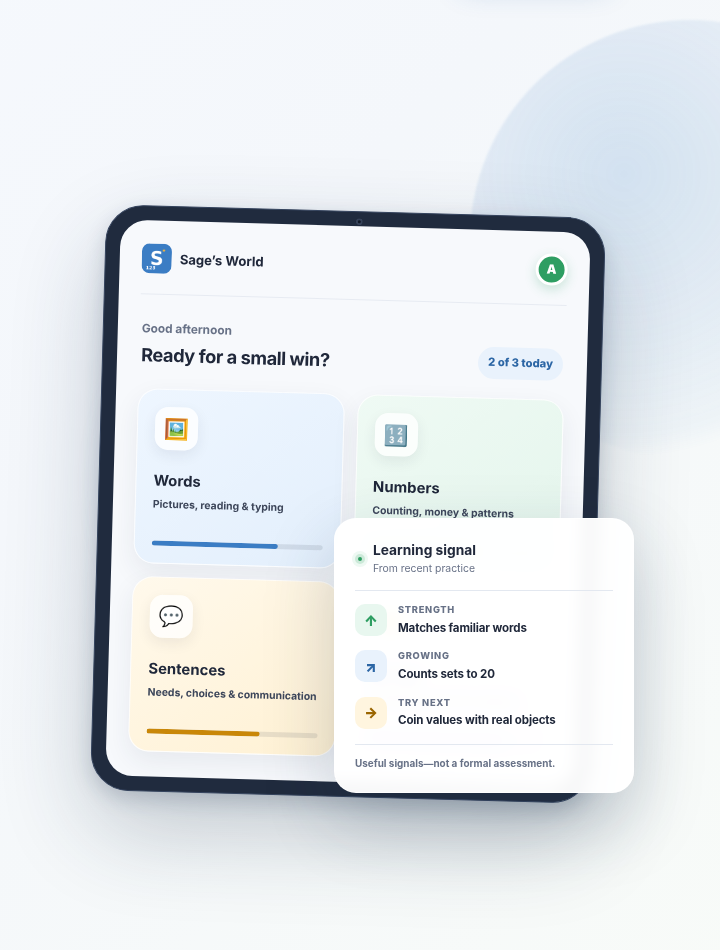
Activities are organized around functional skills rather than a single school subject or one way of responding.
Picture–word matching, listening, reading and typing with familiar vocabulary.
Counting, money, shopping, patterns, shapes and functional comparisons.
Needs, choices, asking for help, sentence building, letters and free talk.
Emotions, self-knowledge, personal information and communication about self.
Visual schedules, social stories, routines and optional chore supports.
Step 3
The learner can try, receive support and still reach a correct ending. Difficulty is not treated as failure.
The learner responds independently.
Extra support appears when needed.
Wrong options fade instead of punishing the attempt.
The round ends with the correct response and encouragement.
Step 4
Early levels provide more visual and spoken support. Later levels introduce more complex choices, less prompting and genuinely new skills.
Difficulty can move gradually based on repeated strong or difficult rounds.
An adult can choose a level or override the automatic pace for a particular game.
A supportive placement round can help suggest a starting point without presenting itself to the learner as a test.
Familiar pictures, spoken cues and clear choices.
Repeat the skill across a wider set of examples.
Move toward reading, memory, new contexts or more complex choices.
Apply the goal to functional tasks such as shopping, schedules or asking for help.
Step 5
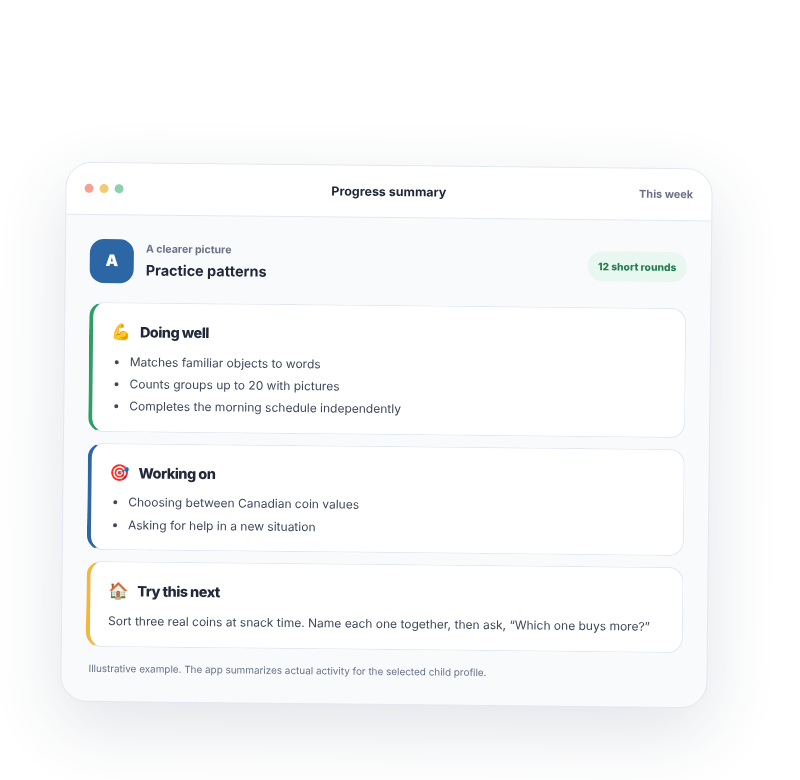
The progress view gathers the recent pattern so an adult can decide what to repeat, teach differently or share.
See items and skills that are becoming more reliable.
Identify recurring trouble items instead of relying on a total score.
Connect the pattern to a short home, classroom or community activity.
Copy a plain-language summary for the family or support team.
Matches familiar object words and identifies the loonie consistently.
Confuses the quarter and dime when visually similar choices appear together.
Use the same three coins in a real sorting task, then practise a small pretend purchase.
Practice-based observations. Not a formal assessment, diagnosis or grade level.
A realistic session
The exact timing can change. The point is to keep practice focused, observable and easy to carry into the next moment.
Pick one activity connected to the current priority.
Let the learner respond while the app supplies support as needed.
Look at strengths, trouble items and the kind of help that worked.
Try one real object, routine, sentence or team update.
Optional means optional
Core learning can be set up manually. Extra services are choices, not requirements.
Optional sign-in can carry profiles and progress across approved devices.
Selected pages go to Google Gemini to create a draft for adult review. They are not used to train AI or reviewed by people. Sage’s World does not save the original pages; approved choices become part of the saved profile.
Each request sends the question, recent chat context, the learner’s first name and a summary of practice results to Google Gemini. Google does not use this content to train AI or have people review it, and Sage’s World does not retain the conversation. The helper cannot change settings.
Use custom images when they improve familiarity, or stay with generic visuals.

The loop begins with one goal
Start manually, complete one short round and review the resulting pattern before adding anything else.